Deep Field
Deep Field flies you inward through galaxies the James Webb Space Telescope actually photographed. Every point out there is a real observation; not one of them was placed for effect.
Going deeper means going back. The mouth of the corridor is the present-day universe and its far end is a universe about three hundred million years old. You can cross that distance flying it yourself, or let the guided flight take you.
What the corridor is made of
The galaxies here come from JADES, JWST's deep extragalactic survey — real objects, really observed. The depth axis is redshift (z), the amount the light has been stretched: higher means further away, and further back. The furthest sit at z = 14.18, and their light set out when the universe was about three hundred million years old.
One thing should be said plainly: the lateral spread is not true angular separation. A survey field really does widen with distance, but drawing it that way leaves the near end nearly empty, so it is drawn as a column of constant width instead. The depth is real; the width is exaggerated for legibility.
While you fly, three numbers at the bottom left keep moving: Look-back, Age of the universe, and Redshift. You always know how far back you currently are, and how old the universe was there.
Flying it yourself
Roll the wheel forward and you travel forward. Not zoom — travel; on a phone, spreading a pinch does the same. Drag to turn your gaze, though only so far: 40° left or right, 35° up or down. This is a corridor, and you cannot turn round in it.
To move sideways without changing depth, hold Shift and drag. A two-finger drag on a phone does the same, as does a right-button drag on a mouse. It is how you get round a foreground galaxy to see what is behind it.
The keyboard is finer. W and S — or ↑ and ↓ — travel; A and D, or ← and →, strafe sideways; R and F strafe up and down. I, J, K and L swing your gaze without moving you. + and − change the field of view. A trackpad pinch and Ctrl+wheel also change the field of view, so if you meant to fly and the framing changed instead, let go of Ctrl.
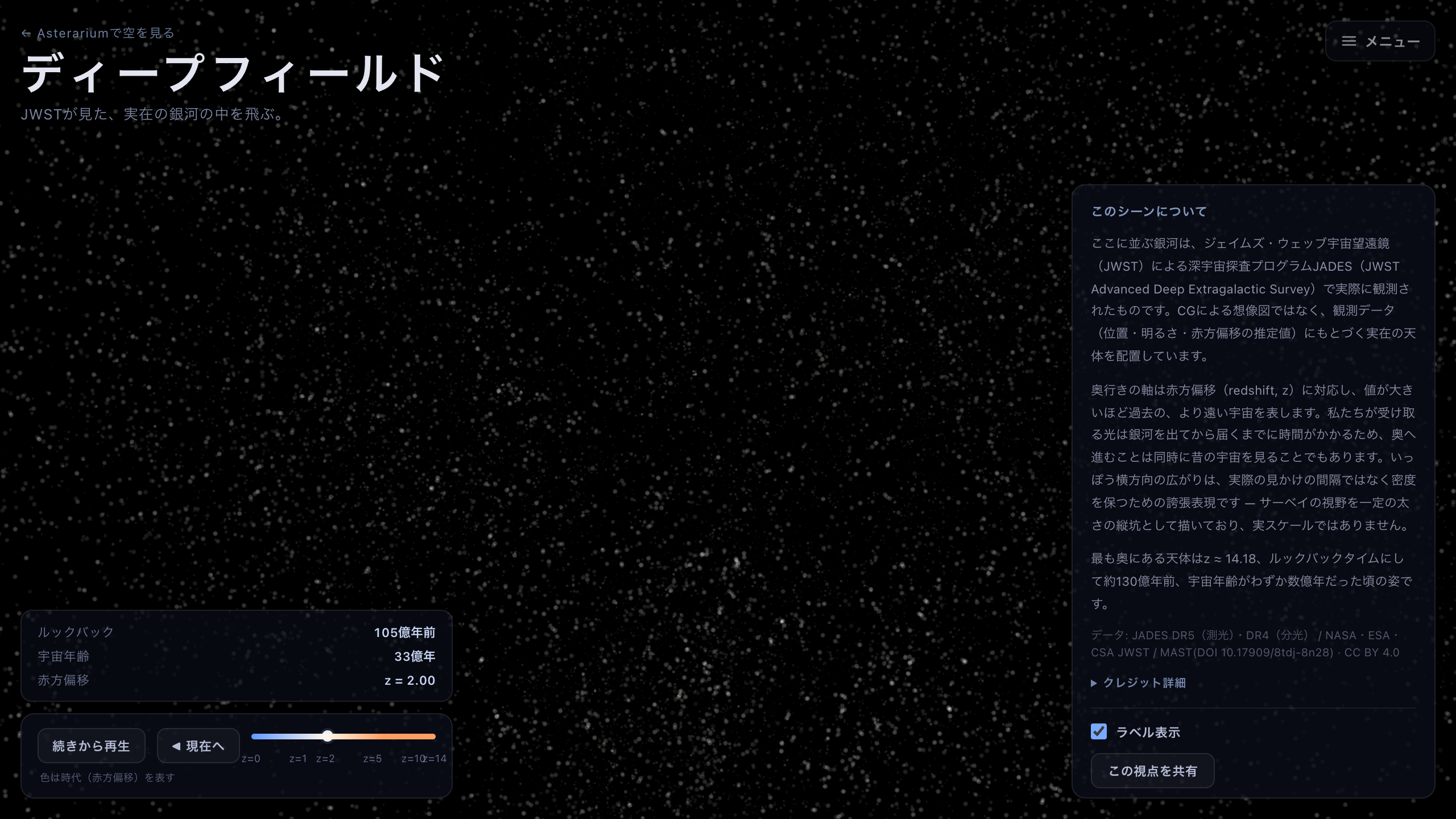
Mid-corridor, around z = 2. The three figures at the bottom left say how far back you currently are.
Letting the flight take you, thirteen billion years out
If this is your first visit, press Play at the bottom of the screen. Over about forty seconds the flight carries you from the mouth of the corridor to its far end, with a short caption at each milestone — around 7.9 billion years ago, before the Sun existed; around 12.9 billion, just after the cosmic fog cleared; around 13.3 billion, with the universe only five hundred million years old. Each holds for six seconds or so and then clears.
The end of the line is JADES-GS-z14-0 at z = 14.18. Arriving there selects it, and the panel on the right fills in with what is known about it.
To take over mid-flight, just fly. A drag, a turn of the wheel, a key — anything ends the guided flight on the spot and hands you the controls. Pause stops it as well.
Drag the Depth (time) scrubber to jump straight to any depth. It is ticked at z = 0, 1, 2, 5, 10 and 14, and the track is colour-graded by cosmic time, blue at the near end shading to red around z = 6. That colour belongs to the track, not to the galaxies. ◀ To present heads back toward the present-day universe. One thing to know: once you have gone deeper at all, the play button reads Resume — and at the very end of the corridor, pressing it flies the whole tour again from the start rather than continuing.
Picking a galaxy and reading its record
Click or tap a galaxy and Selected object fills in. JADES ID is its catalogue number, Redshift its z, Look-back time how long that light has been travelling, and Age of the universe then how old the universe was when it set out. Clicking empty space clears the selection.
There are two kinds of z here. A Spectroscopically confirmed badge means the redshift was measured directly, from a spectrum. Without the badge it is photometric — inferred from how bright the object is in different colours — and a range such as 1.10–1.36 is given alongside. That range is not an error bar in the loose sense: it is the interval the value sits in with 68% confidence. The bright near galaxies mostly have spectra; the further you go, the more of them are estimates. That is what reading a survey catalogue is like.
Clearing Show labels hides the object names without changing anything else — worth doing when you want to look at the view rather than at the catalogue.
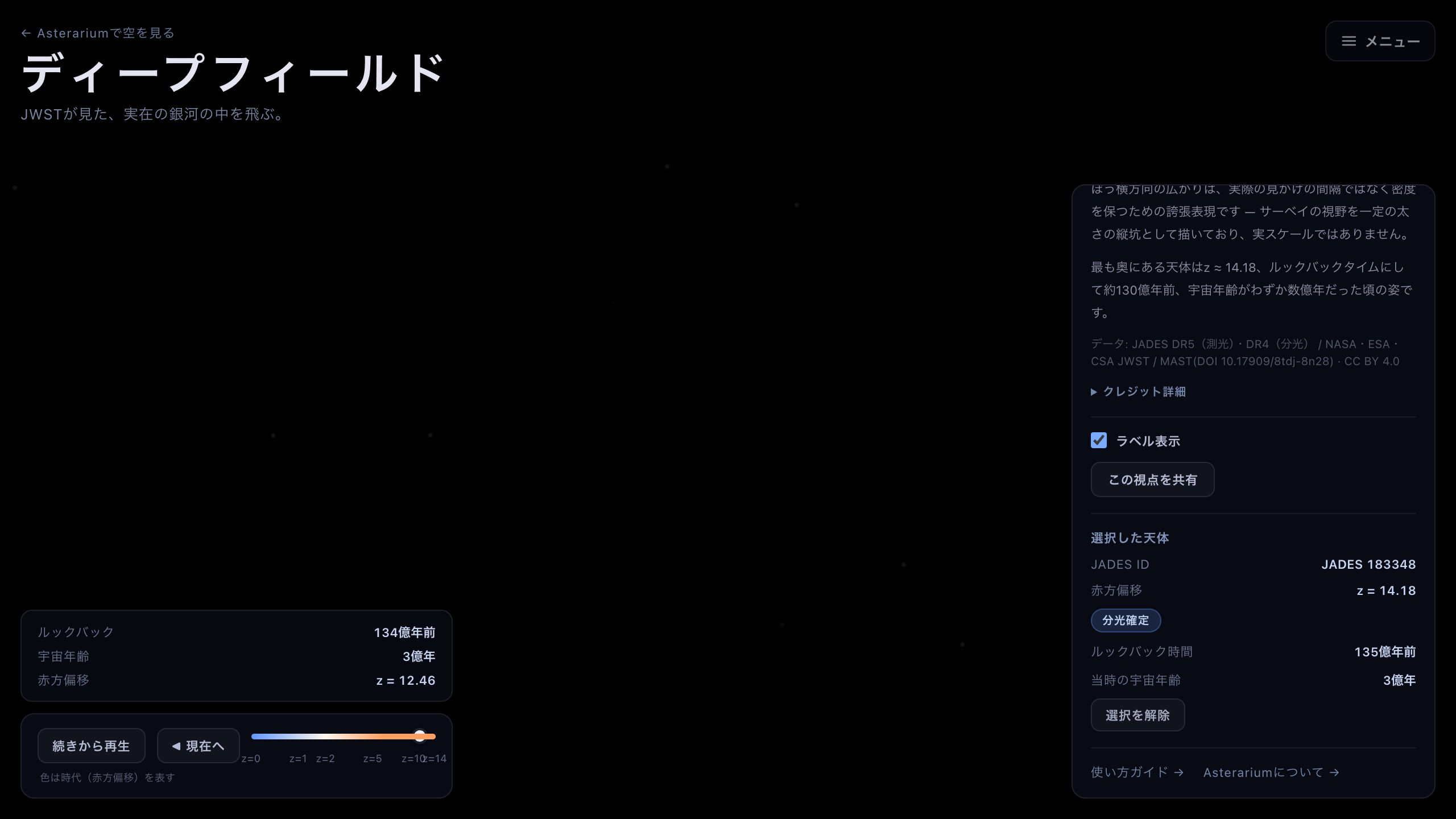
A galaxy whose redshift was measured from a spectrum. Without that badge it is a photometric estimate, quoted with a 68% interval.