Mars Globe
The Mars Globe computes which face of Mars is turned toward Earth right now, and draws it. Mars' rotation is not locked to Earth the way the Moon's is, so that face changes hour by hour. Will Syrtis Major be on the disc when you take the telescope out tonight, or will it be round the back? This is the page that tells you beforehand.
This chapter covers turning the globe and getting back to the real-time facing, moving through an observing night, the feature labels and their layers, and pointing a link at one particular Mars.
It starts on the face Earth can see
The face you arrive on is the face turned toward Earth at this moment. The Central meridian (CM) row names its longitude. It is not an arbitrary starting angle: it is what a telescope would find there right now.
Drag to turn it freely — the far side, the poles, wherever. While you are looking around, a Facing readout appears along the bottom giving the longitude currently at the centre of the screen. To get the real face back, press Reset view: the globe glides home, by the shortest way round however many times you have spun it. Note that Reset view fixes the facing only. Your zoom is left exactly where you put it.
The wheel — a pinch on a phone — zooms in. But Mars is never a big target, and the small diagram at the top left says so without a word: the dashed circle is the apparent size of a full Moon, and the three inside it are Mars at this moment, magnified fifty, a hundred and two hundred times. Even at a good opposition it takes 200× before Mars matches the naked-eye Moon. That is the honest measure of what an eyepiece will show you.
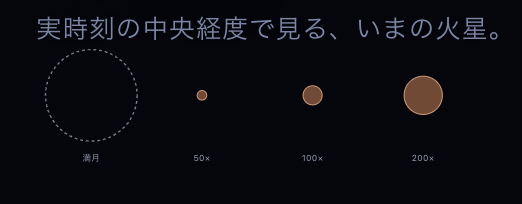
The gauge at the top left. The dashed circle is a full Moon; inside it, Mars at 50, 100 and 200 times.
Walking through a night, waiting for the next opposition
The slider under the date field scrubs an observing night — this evening's sunset through to tomorrow's sunrise. Run it end to end and the point of the page appears: a Martian day is 24 h 37 m, so the face turns more than ten degrees in a single night. A formation that was well placed at dusk has drifted toward the limb by dawn. What you can see depends on what time you take the telescope out.
For any other moment, type it into the field above — 1900 through 2100. Now returns you to the present.
Ten rows of numbers sit at the foot of the panel. Central meridian (CM) and Sub-Earth latitude (De) say which part of which face you are looking straight at. Angular diameter, Distance and Magnitude say how small, how far and how bright. Solar longitude (Ls), Season and Dust season give the Martian time of year. And Next opposition is the date Mars next comes close and bright. Read the angular diameter against that date: together they tell you whether this is a season for observing or a season for waiting.
Turn on a layer and the volcanoes appear
The labels you get on arrival are the albedo features and the landing sites. Albedo features are the classical markings — the light and dark patches a telescope shows, Syrtis Major and Solis Lacus and the rest, named since the nineteenth century. The default globe, in other words, leans toward the Mars an observer sees.
Which is why Olympus Mons and Valles Marineris are nowhere to be found. They live in the Terrain layer. Tick it and the largest volcano in the solar system and a canyon the length of a continent arrive, named. Twelve of the twenty features that carry a written note are in that layer, so if you came to read, this is the box to tick first.
A name with a dotted underline opens a card: extent, coordinates, sources consulted, and a piece of writing about the place. A name without the underline does nothing, because no note has been written for it yet. To see which ones do, use the Browse the notes list. A card is not a modal — you can turn the globe with it open, change the date, even run Reset view, and it stays.
Two display switches are worth knowing. Clearing Polar caps shows the ground with no white cap over it; the caps are an approximate model derived from the solar longitude rather than an observation, and the line under the checkbox says so at all times — real dust storms and clouds are not in it. The other, Uniform light, lights the whole globe evenly including the night side. Mars is never far from full as seen from Earth, so without it there is no way to inspect the far hemisphere at all. While it is on, an on-screen note keeps saying that this is not the real illumination.
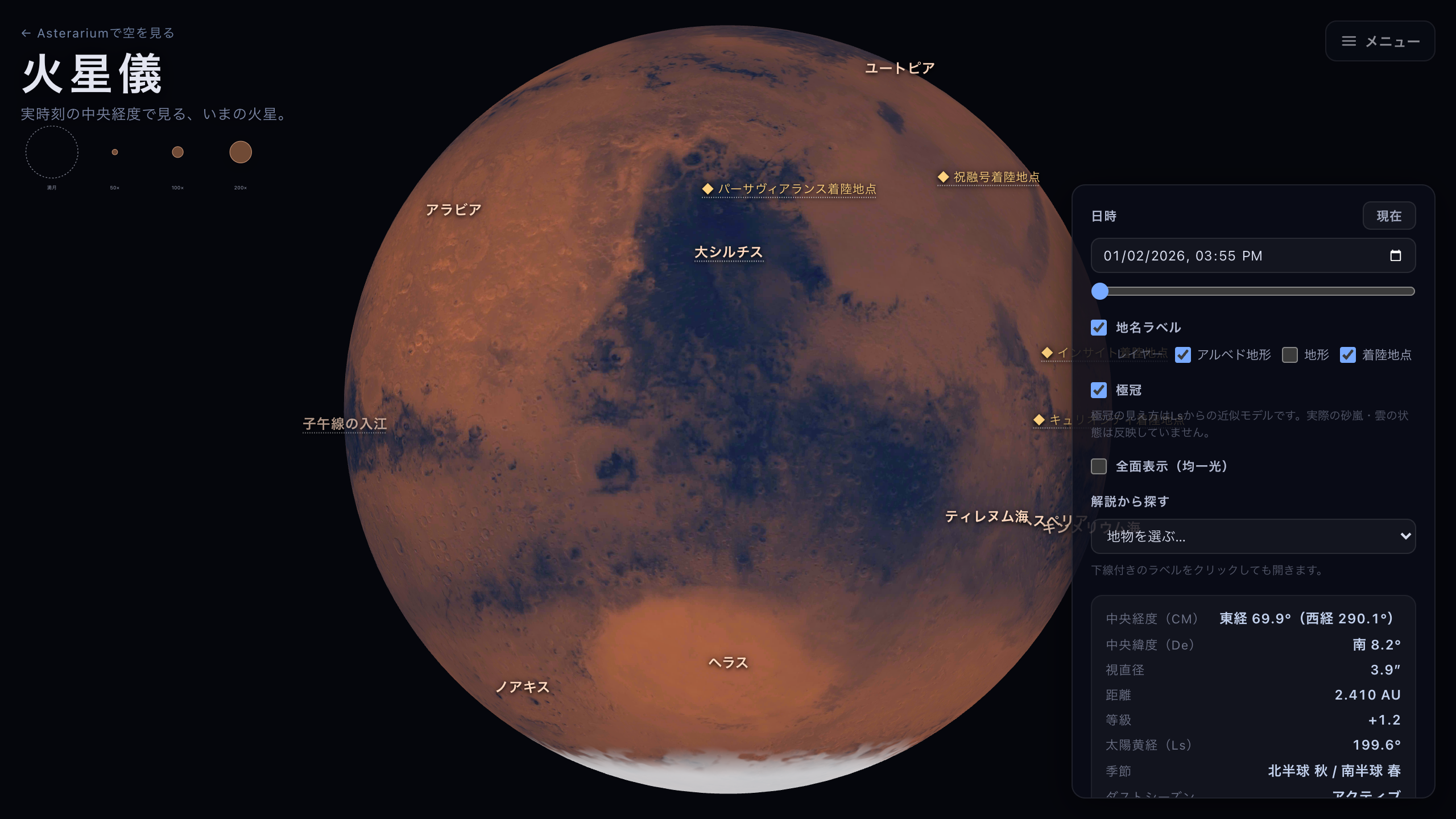
The default globe. The names go on the albedo markings — Syrtis Major and its neighbours — the patches a telescope shows.
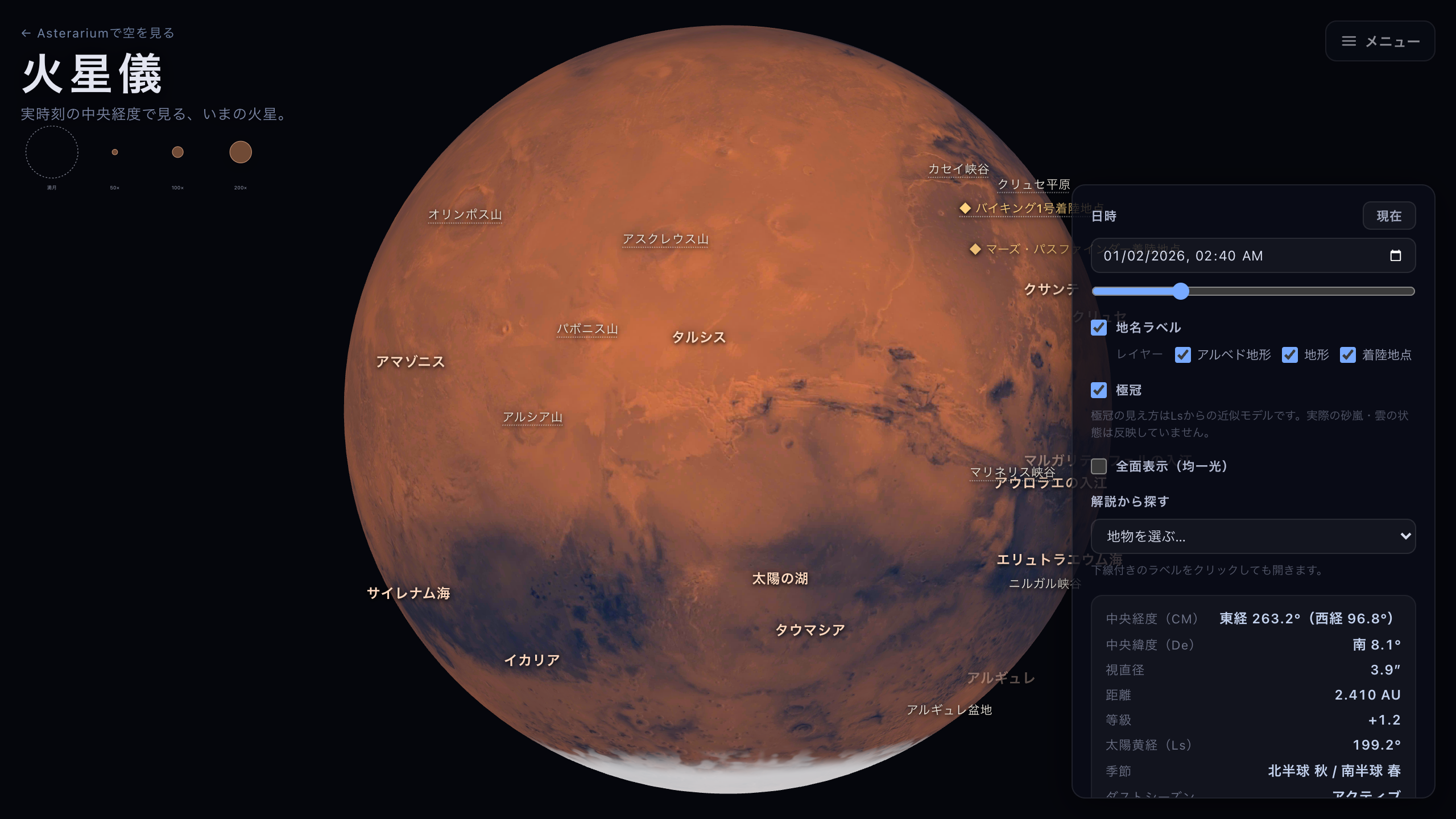
With the Terrain layer on. Olympus Mons and Valles Marineris only get names here.