Moon Globe
The Moon Globe hands you the Moon as it is at this moment, to turn in place. Its orientation and its phase are the real values for whatever instant you set — good for checking which side will be lit tonight, and good for learning where the Sea of Tranquility actually is.
This chapter covers turning the globe, scrubbing the date to follow the phase and the libration, reading the feature labels and their notes, and pointing someone at one particular Moon by link.
Turning the Moon
Drag and the Moon turns. It carries a little momentum after you let go, so a flick will send it round to the far side. Zoom in with the wheel — a pinch on a phone — and the shadows in the crater floors and the ragged edges of the maria come out.
The Relief exaggeration slider in the controls panel deepens the terrain; it starts at three times. Watch the limb where the light comes in at a grazing angle and push the slider up to twenty — wrinkles appear inside maria that looked perfectly flat. But, as the line under the slider says, the Moon's real relief is under 0.5% of its radius. What you are looking at is that half a percent, stretched until the eye can find it.
Open About this model and it will tell you that the colour is the albedo map imaged by the Lunar Reconnaissance Orbiter's wide-angle camera and the relief comes from elevations its laser altimeter measured. None of the terrain is invented.
The phase, and the Moon nodding
Now is selected when the page opens, so you get the Moon as it is. It re-reads the clock once a minute, so leaving the page open does not leave it stale.
The second slider under the date is the lunation scrub. It covers about half a month either way, running new to full and back down to new in one continuous sweep. Reaching the end is not the end: let go, take hold again, and it carries on from where you are. You can walk forward for months this way. For a particular day, type it into the field above — anything from 1900 to 2100.
Three rows below follow along as you scrub. Illuminated is the fraction of the disc that is lit; Phase is its name, from New Moon round to Waning Crescent. The third, Libration, may be the most interesting number on the page. The Moon keeps one face toward us, but its orbit is elliptical and its axis is slightly tilted, so it appears to nod and rock. Run the scrub back and forth while watching that row and you will see the Moon swing a few degrees off centre, bringing craters into view that were over the edge a moment ago. The figure is the geocentric libration — measured from the centre of the Earth, without the small extra term that depends on where on Earth you are standing.
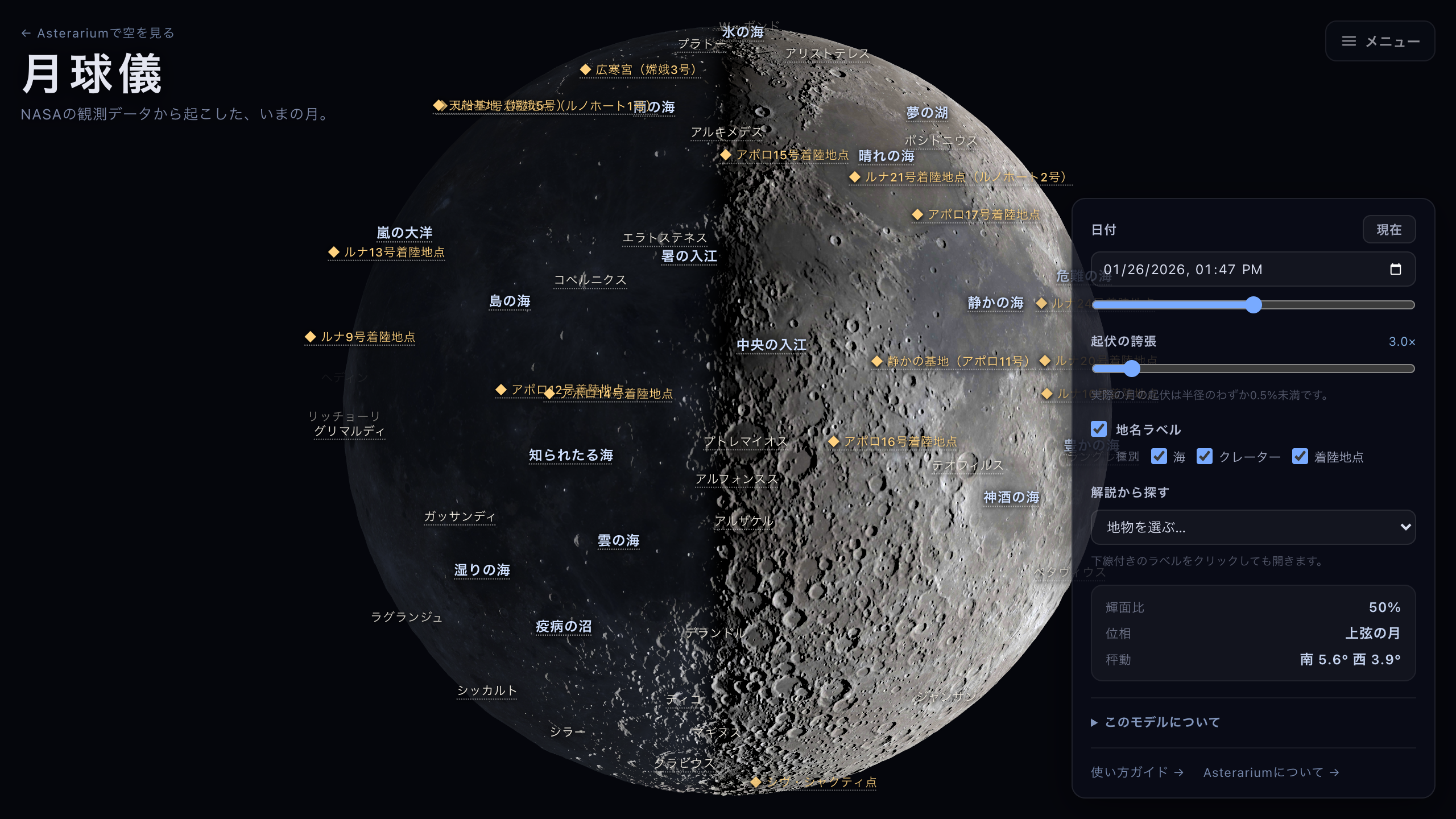
First quarter. The craters along the terminator throw the deepest shadows there is.
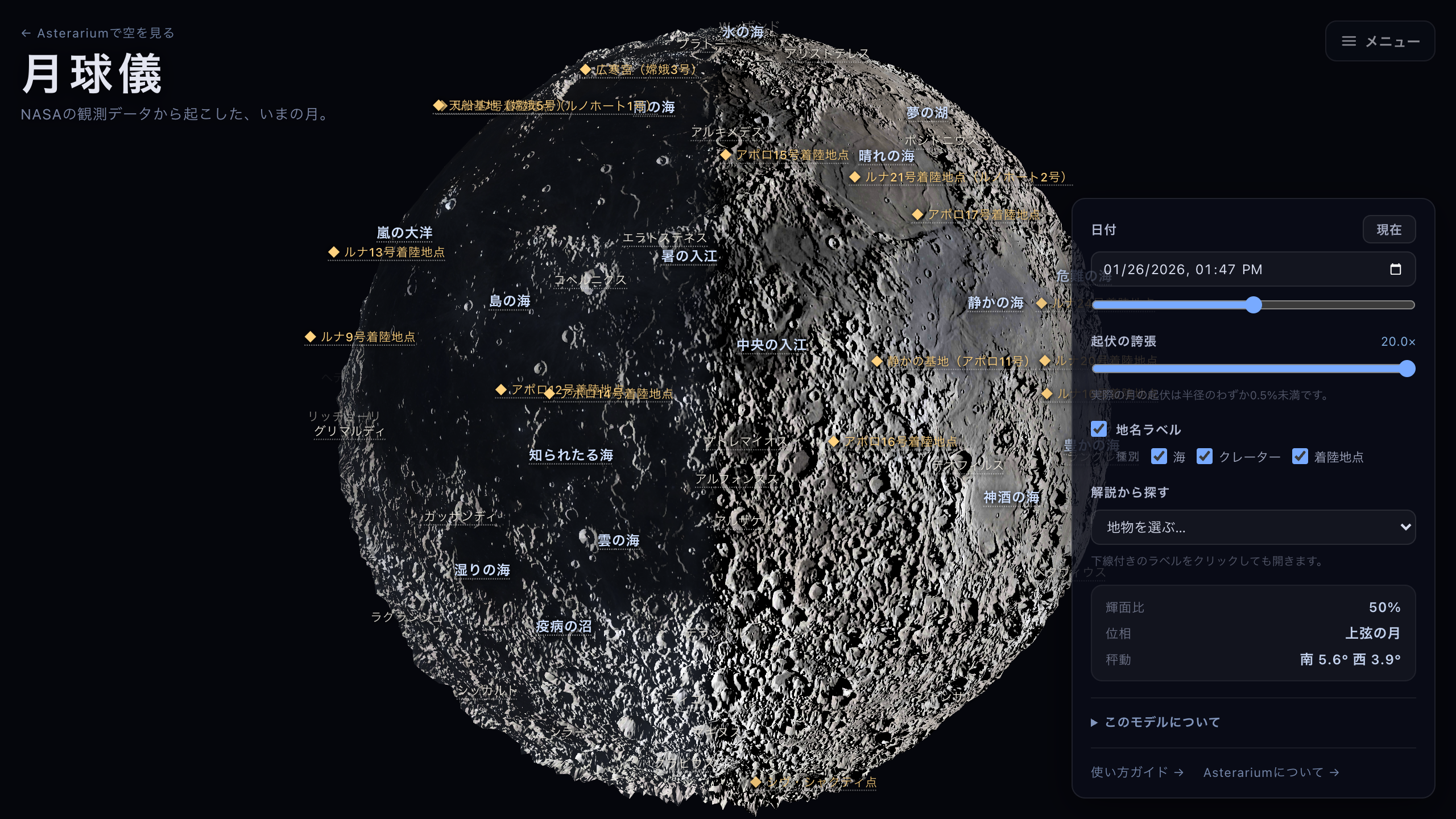
The same instant at twenty times relief. The maria that looked flat turn out to be wrinkled.
Reading the names, and the notes
With Feature labels on, names float over the globe. They move with the Moon and fade away as they go round the limb. The Types row — Maria, Craters, Landing sites — narrows what is drawn. The Apollo and Luna sites are small, so you have to zoom in a little before they appear.
A name with a dotted underline opens a card when you press it: the diameter, the coordinates, the sources consulted, and a short piece of writing about the place. A name without the underline does nothing when pressed — that feature has no note written yet, and at present about half of them do. Offering a target that opens an empty card was judged worse than offering none.
To see which ones do have notes, open the Browse the notes list, which contains exactly those, grouped by type. A card is not a modal: you can turn the globe with it open, and it survives a date change, the relief slider, and zooming. You are meant to be able to read about Mare Tranquillitatis while watching the sunrise cross Mare Tranquillitatis. It closes on the ×, on Esc, or on a click into empty sky.
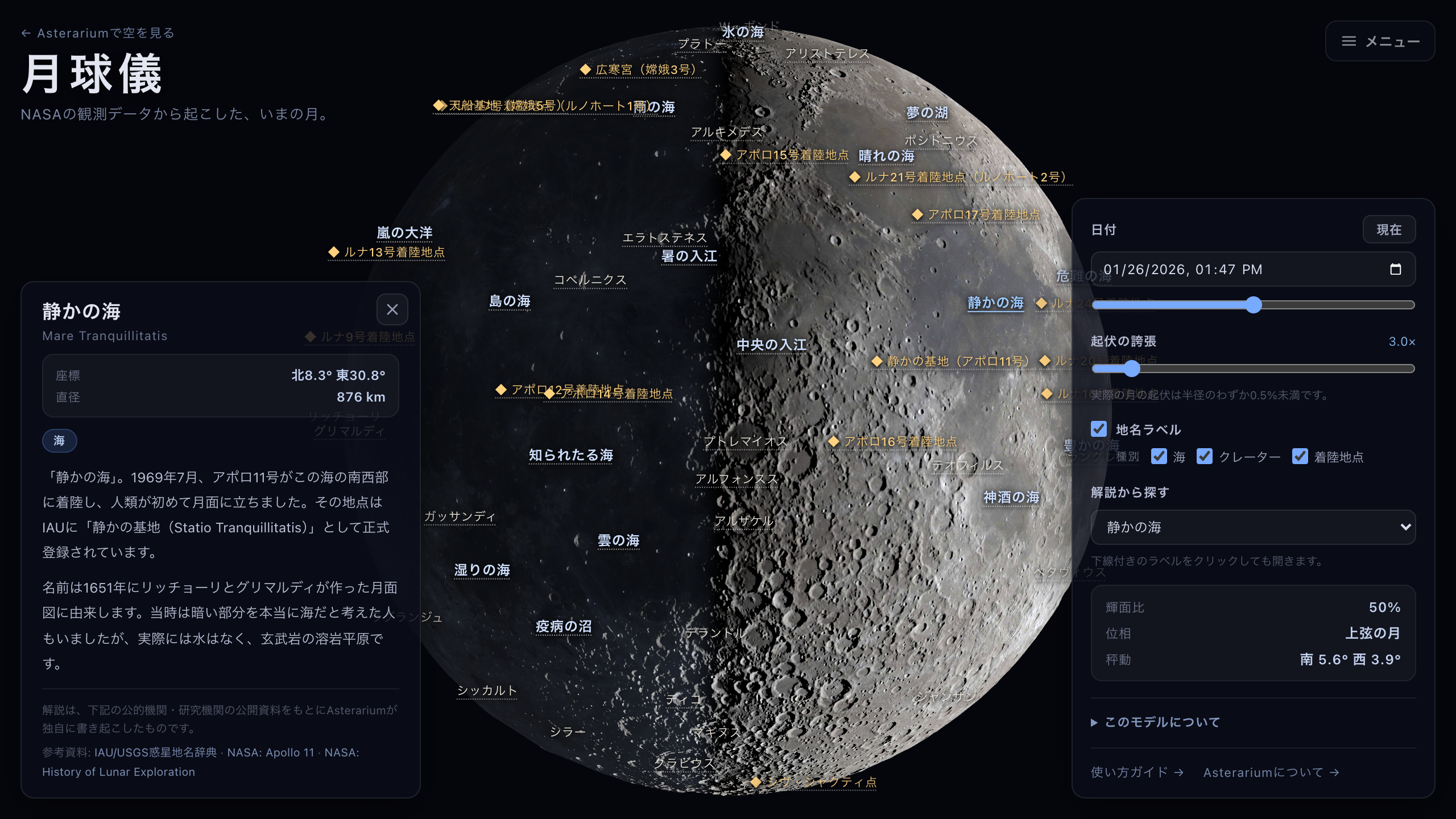
The note on Mare Tranquillitatis, opened by pressing its underlined name.