Solar System Orrery
The Solar System Orrery is a 3D model of the Sun through Pluto, driven by real ephemeris. Run time forward and every body follows its actual orbit. You can hunt for the day the planets line up, or watch Halley's Comet fall in from the outer system.
This chapter covers moving the camera, controlling time, focusing any of twenty-four bodies, the link that hands a body over to the sky page, and what happens when you turn the size exaggeration off.
Turning the model and leaning in
You arrive a little above the plane, looking down at the Sun. Not edge-on, and for a reason: sit at the height of the orbits and the whole solar system collapses into a single line.
Drag to orbit whichever body the camera is watching; the wheel — a pinch on a phone — moves you in and out. Arrow keys and WASD orbit too, and + and − dolly.
Double-click, or double-tap, a body and the camera moves to it. A single click acts on labels only, not on the discs themselves — a single click is also the first half of every drag, and letting it grab whichever planet it grazed would yank the camera away mid-gesture. The consequence is worth knowing: with Show labels off, double-clicking is the only click that changes focus.
Driving time
The Date/time at the bottom left is the instant the model is showing. It starts pinned to the present, with every planet where it actually is.
It gets interesting once you push the Rate slider right. It climbs logarithmically from one second per second through a minute, an hour, a day, a month, up to a year per second. At a day per second Mercury starts hurrying; at a month per second the inner planets tangle; at a year per second Jupiter and Saturn go round and only the outer ice stays put. The slider carries magnitude alone — direction belongs to Reverse, which runs the same rate backwards and returns you on a second press.
Play and Pause stop the flow. Jump to now returns you to this instant — but it also resets the rate to one second per second, clears Reverse, and starts playback. A rate you spent time settling on goes with it, so press it knowingly.
Under the date sits an Element epoch row. While you are looking at anything from the Sun to Pluto it reads Ephemeris (no elements): those bodies come straight from a high-precision ephemeris, with no approximating orbital elements involved. Focus a comet or a dwarf planet and a date appears instead — the epoch the elements were fitted to. Halley's is 1968. The further the date drifts from that epoch, the further the drawn position strays from the truth, so this model cannot tell you where a comet was ten thousand years ago.
Choosing from twenty-four bodies
The Choose a focus body list holds twenty-four bodies in four groups: Sun and planets, Dwarf planets, Comets, and Interstellar object. The comets include Halley and Churyumov-Gerasimenko; the interstellar group holds 3I/ATLAS.
Choose one and the camera flies there over a second or two — briskly for a near neighbour, longer for somewhere like Neptune. It ignores input while it is travelling, so wait until it lands before you drag. On arrival, that body's orbit line brightens.
The HUD's Distance from Sun is that body's current distance. Watch the number while time runs and you can follow a comet falling inward and turning back, numerically as well as visually.
Focus one of the four dwarf planets — Ceres, Haumea, Makemake, Eris — and a line appears in the HUD saying the surface pattern is an artist's impression. No real imagery of those worlds exists, so the markings are drawn. The positions and the orbits are not.
From the model to the real sky
While the Sun or any planet from Mercury to Neptune is focused, a See this body in the sky now link appears. It takes you to the sky page at the same instant the model was showing, with the camera turned toward that body from wherever you observe.
Jupiter and Saturn look close together in the model — so what does that look like from the ground? One press answers it. The link is absent for Earth, Pluto and the comets: Earth is the place you look from, and the others are not bodies the sky page can be aimed at by name. A button that quietly did nothing would be worse than no button.
Switching the exaggeration off
The most important control on this page is probably the Exaggerated size checkbox, and specifically clearing it.
Sizes are exaggerated by default because otherwise there would be nothing to see. Clear the box and every body shrinks toward its true relative size; the planets go one after another until all of them are points. Nothing disappears entirely — each is floored at a few pixels, and the labels and orbit lines stay, so you do not lose your place. At true scale, every body in the solar system is a point far smaller than a coin held one astronomical unit away. What this switch shows is that the solar system is mostly nothing at all.
Show labels and Show orbits beside it toggle independently. Hide the orbits and you are left with the arrangement of the bodies; hide the labels and you are left with the model itself — but remember that hiding the labels also disables single-click focusing.
When the framing is right, Share this view copies a URL carrying the instant, the rate, the focused body, the camera's heading and distance, and how exaggerated the sizes currently are.
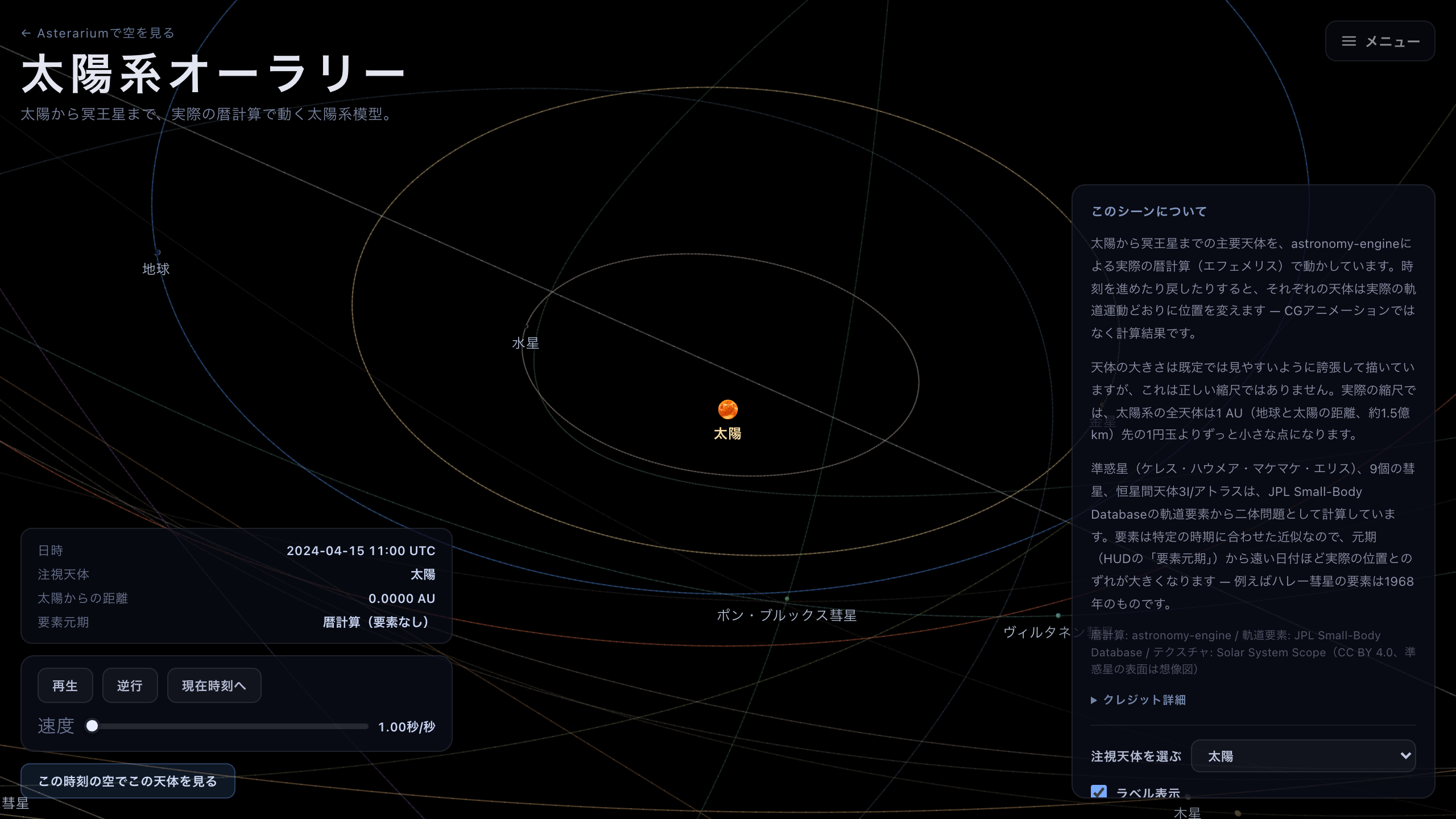
The default view. The bodies are drawn larger than they are, so that there is something to see.
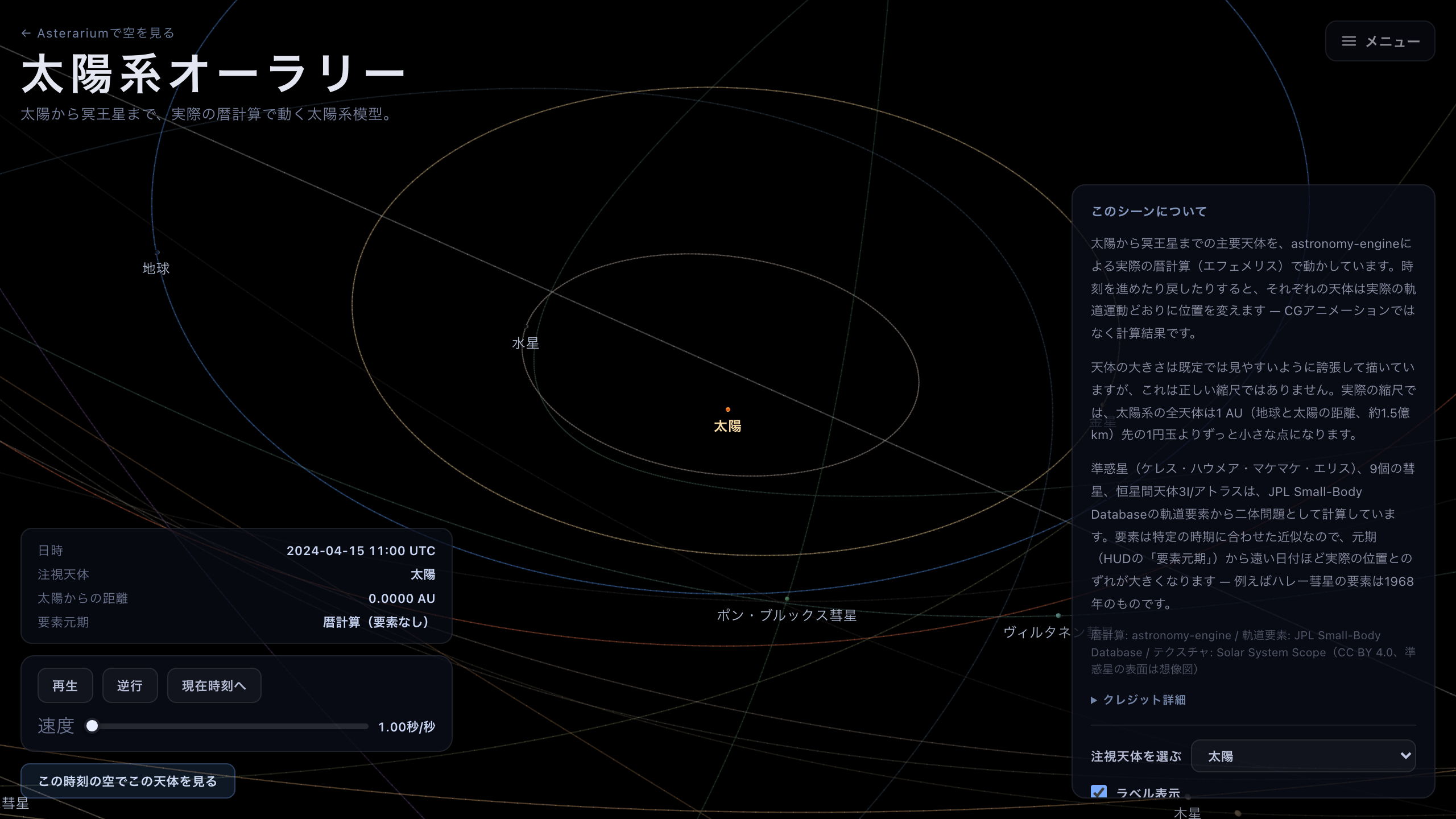
The same viewpoint with the exaggeration off. Every planet is a dot: the solar system is mostly nothing at all.